
Tudásbázis
How to Check Disk and Bandwidth Usage in Plesk Kinyomtatja ezt a cikket
You can quickly check disk and bandwidth usage in Plesk.
1. Log in to your Plesk account.
2. Click on Statistics from the Sidebar Menu.

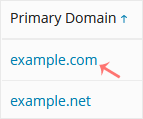
3. Click on the appropriate domain in case of multiple domains.
4. You can see the disk usage from the left side. The right side displays your traffic/bandwidth usage.

You can also check the detailed statistics of FTP, Data Transfer, and Web Statistics.
Hasznosnak találta ezt a választ?
Kapcsolódó cikkek
How to Edit a File in the Plesk File Manager
Learn how to edit a file directly in the Plesk File Manager. This is useful for making quick...
Learn how to edit a file directly in the Plesk File Manager. This is useful for making quick...
How to Log in to Plesk
A tutorial on how to access the Plesk Control Panel. After you place an order and make a...
A tutorial on how to access the Plesk Control Panel. After you place an order and make a...
How to Change the Password of a Plesk Account
Follow these steps to change your Plesk account password. 1. Log in to your Plesk account....
Follow these steps to change your Plesk account password. 1. Log in to your Plesk account....
How to Reset a Plesk's Account Password
Follow these steps to reset your Plesk account password. 1. Open your Plesk login URL. 2....
Follow these steps to reset your Plesk account password. 1. Open your Plesk login URL. 2....
How to Update a Plesk Account's Email Address
Follow these steps to change your Plesk contact email address. 1. Log in to your Plesk...
Follow these steps to change your Plesk contact email address. 1. Log in to your Plesk...
