
База знань
How to Fetch - Sync Emails in Android Роздрукувати цю статтю
We hope you have already read our tutorial on How to Set Up a cPanel Email Account in Android, and you have already added a built-in email widget to your Android screen.
1. Press on Inbox.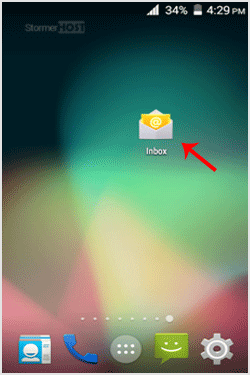
2. Pull down from the top of the screen until the little refresh wheel start spinning. It will start syncing emails.

In the above screenshot, after syncing, we have received a new email.
Ця відповідь Вам допомогла?
Схожі статті
How to Set Up a cPanel Email Account in Android
You can add a cPanel email account to your Android's built-in email application. You don't need...
You can add a cPanel email account to your Android's built-in email application. You don't need...
How to Read cPanel Emails in Android
Suppose you have already added your cPanel email accounts to your Android built-in email...
Suppose you have already added your cPanel email accounts to your Android built-in email...
How to Delete cPanel Emails in Android
We hope you have already read our tutorial on How to Set Up a cPanel Email Account in Android,...
We hope you have already read our tutorial on How to Set Up a cPanel Email Account in Android,...
How to Send an Email via Android
We hope you have already read our tutorial on How to Set Up a cPanel Email Account in Android,...
We hope you have already read our tutorial on How to Set Up a cPanel Email Account in Android,...
How to Set Up an Email Signature in Android
We hope you have already read our tutorial on How to Set Up a cPanel Email Account in Android,...
We hope you have already read our tutorial on How to Set Up a cPanel Email Account in Android,...
