
База знань
How to Create an Email Account in cPanel Роздрукувати цю статтю
To create a new email address, perform the following steps:
1. Log in to your cPanel account.
2. In the Email section, click on Email Account. 
3. Click on +Create. You can find this on the right-hand side.
4. Under Create An Email Account, fill up the following details:
Domain: Select the appropriate domain from the drop-down list if you have more than one domain.
Username: Enter a username such as your first name.
Password: Select Set password now, enter a password, or use a generator to generate one.
Optional Settings: Click on Edit Settings to expand. In the Storage space option, enter the amount of storage space or select the Unlimited option.

5. Click on Create.
Once your email account is created, it will appear under the Account & Domain tab.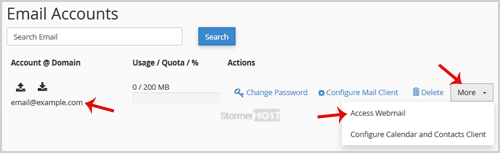
Hope you found this article helpful.
Ця відповідь Вам допомогла?
Схожі статті
You can access your Email account directly from Webmail.1. Open http://example.com/webmail,...
You can change your email account's password through the following steps: 1. Log in to your...
If you are on holiday or you will be unavailable for a few days or a month, you can create an...
Want to keep all your emails in one place? Forwarding helps you stay organized and never miss a...
